

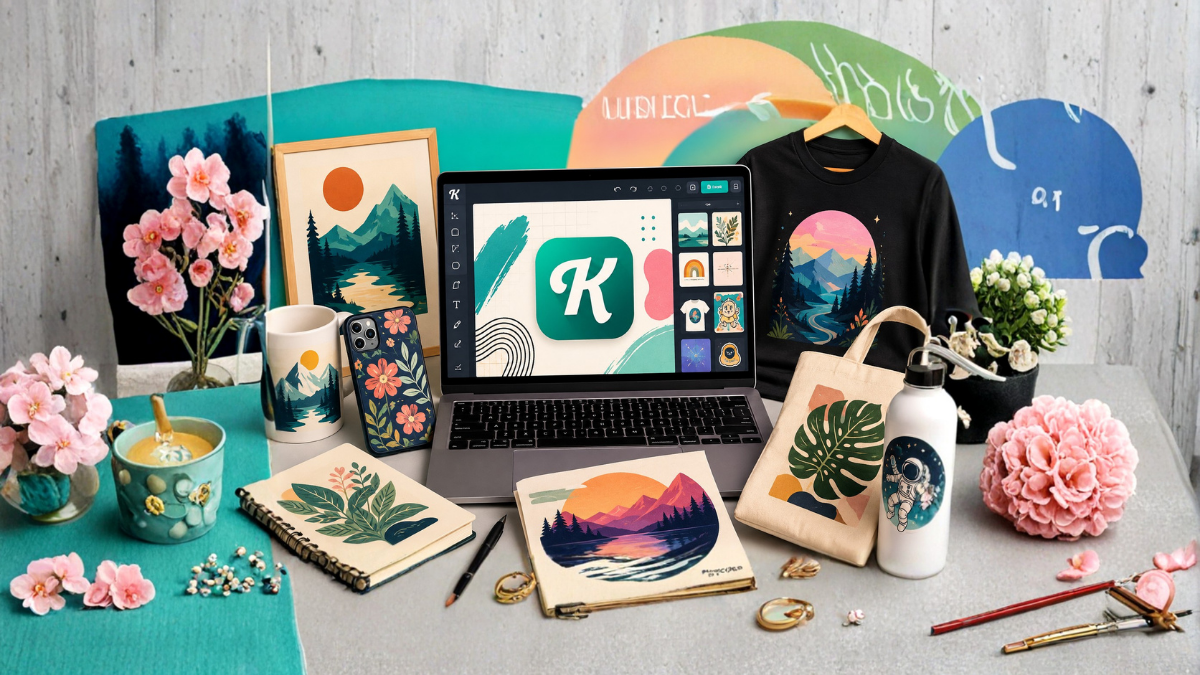
Creating designs that sell online is no longer limited to professional graphic designers. With AI-powered design tools, creators, entrepreneurs, print-on-demand sellers, and small businesses can turn simple ideas into attractive products much faster. One platform that makes this process easier is Kittl.
Kittl combines AI image generation, vector generation, templates, typography, text effects, editing tools, and product mockups in one platform. This makes it useful for people who want to create designs for T-shirts, posters, stickers, mugs, social media graphics, logos, packaging, digital products, and other online products.
However, simply generating an attractive AI image does not guarantee sales. The real opportunity comes from combining AI with market research, good design principles, strong typography, product selection, and effective presentation.
In this guide, you will learn how to use Kittl AI to create designs that have better potential to sell online, how to write effective prompts, which products you can create, how to improve AI-generated designs, and what licensing considerations you should understand before selling.
What Is Kittl AI?
Kittl is an online design platform that provides traditional graphic design tools alongside AI-powered features. Its AI tools can help users generate images and vector artwork from text prompts, while the Kittl Editor allows users to customize those results.
Kittl’s current AI image generation workflow lets users enter a detailed prompt, choose an AI model and style, select an aspect ratio, and generate multiple results. Users can then place the generated image directly onto their design canvas.
Kittl also offers an AI Vector Generator that can create editable vector graphics from text prompts. These graphics can be useful for logos, stickers, labels, merchandise, packaging, icons, and other commercial design applications.
This combination is important because successful online products usually need more than one attractive image. They need a complete design that works on a specific product and appeals to a particular audience.
Why Use Kittl AI for Online Selling?
One of the biggest advantages of Kittl AI is speed.
Instead of manually creating every illustration or starting a design from a blank canvas, you can use AI to explore multiple concepts quickly. You can then select the strongest concept and refine it.
Kittl also includes professional templates, fonts, text effects, illustrations, and mockups. Its platform currently highlights more than 10,000 premium templates and mockups, along with a large illustration library.
For an online seller, this can simplify the entire design process.
You can:
- Research a product idea
- Generate an illustration with AI
- Create typography
- Combine graphics and text
- Adjust colors
- Create different versions
- Place the design on a product mockup
- Export the final artwork
- Upload it to an online marketplace or store
The goal is not to let AI do everything. The goal is to use AI to make the creative process faster while you make the important business decisions.
Step 1: Choose a Profitable Niche
Before opening Kittl, decide who you are designing for.
A common mistake is creating random designs and hoping someone will buy them. A better approach is to identify a specific audience first.
For example, instead of creating a generic T-shirt design, you could focus on:
- Dog lovers
- Cat owners
- Coffee enthusiasts
- Teachers
- Nurses
- Travelers
- Fitness enthusiasts
- Gardeners
- Book lovers
- Gamers
- Motorcycle enthusiasts
- New parents
- Specific hobbies
- Seasonal shoppers
The more specific your audience is, the easier it becomes to create relevant designs.
For example, “funny coffee shirt” is broad. “Funny coffee design for people who work from home” is much more specific.
Your niche should have enough potential buyers but should not be so broad that your design becomes indistinguishable from thousands of competing products.
Step 2: Research What Customers Want
Once you select a niche, research the types of products customers are already buying.
Look at online marketplaces, social media, search trends, and competitor stores. Pay attention to:
- Popular phrases
- Common colors
- Product styles
- Typography
- Illustrations
- Seasonal trends
- Customer interests
- Frequently used themes
Do not simply copy another seller’s design.
Instead, look for patterns.
For example, if you notice that customers in a particular niche prefer minimalist designs, you can create your own minimalist concept. If vintage typography appears frequently, you can explore an original vintage-inspired design.
The objective is to understand demand and then create something original for that audience.
Step 3: Create a Strong Kittl AI Prompt
The quality of an AI-generated design often depends on how clearly you describe your idea.
Instead of writing:
“Create a dog design.”
Try something more specific:
“Create a playful vintage-style illustration of a golden retriever sitting beside a camping tent, bold retro shapes, clean outlines, warm outdoor aesthetic, centered composition, suitable for a T-shirt graphic, isolated background.”
A strong prompt can describe:
- Main subject
- Art style
- Mood
- Colors
- Composition
- Level of detail
- Intended product
- Background
- Target audience
For example, if you are designing for a T-shirt, tell the AI that the artwork should work as a T-shirt graphic.
If you want a sticker, mention that you want a clean sticker-style illustration.
The more relevant information you provide, the easier it is to move toward a usable result.
Step 4: Generate Multiple Design Ideas
Do not immediately choose the first AI-generated result.
Generate several variations and compare them.
Kittl’s AI image generator can generate between one and four images per generation, depending on the selected workflow.
Try changing one element at a time.
For example:
Version 1:
“Vintage camping illustration.”
Version 2:
“Minimalist camping illustration.”
Version 3:
“Bold 1970s camping poster.”
Version 4:
“Hand-drawn camping badge.”
This gives you several creative directions.
You may discover that one style looks significantly better on the product you want to sell.
Step 5: Use AI Vector Graphics When Appropriate
AI-generated raster images are useful for many products, but vector artwork can be especially valuable for logos, stickers, labels, merchandise, icons, and packaging.
Kittl’s AI Vector Generator can turn text prompts into editable vector graphics and allows users to adjust elements such as colors, shapes, layout, typography, borders, and shadows.
For example, you could create:
“Vintage mountain badge logo, bold clean outlines, camping theme, symmetrical composition, simple shapes, suitable for outdoor merchandise.”
After generating the vector, refine it inside Kittl.
Vector artwork is particularly useful when you need artwork that can remain sharp at different sizes.
Step 6: Improve the AI-Generated Design
AI should be considered the starting point, not always the finished product.
After generating an image, examine it carefully.
Ask yourself:
Does the design look clean?
Is the subject easy to understand?
Would it look good on the intended product?
Are there unnecessary details?
Does the typography match the style?
Is the composition balanced?
Does the design look too similar to existing products?
You can use Kittl’s editing tools to make improvements.
Change colors, reposition elements, adjust typography, remove unnecessary objects, and create a stronger overall composition.
This editing stage is often what separates a basic AI-generated image from a commercially useful design.
Step 7: Add Typography That Supports the Design
Typography can make or break a product design.
A good illustration with weak text can look unprofessional, while a simple illustration with excellent typography can become a strong product.
Kittl provides advanced text effects that allow users to create effects such as curved, distorted, arched, and other stylized text treatments.
Choose typography based on your niche.
For example:
- Vintage products can use retro display fonts.
- Luxury designs may benefit from elegant typography.
- Children’s products can use playful lettering.
- Fitness designs may work well with bold fonts.
- Minimalist products often benefit from simple typography.
Avoid using too many fonts in one design.
In most cases, one or two complementary typefaces are enough.
Step 8: Create Designs for Specific Products
A design should be created with its final product in mind.
A graphic that looks excellent on a square social media post may not work well on a T-shirt.
Consider the product before finalizing the design.
For T-shirts, think about:
- Placement
- Print area
- Contrast
- Shirt color
- Readability
For stickers, think about:
- Clear outlines
- Simple shapes
- Strong visual recognition
For posters, consider:
- Composition
- Hierarchy
- Text readability
- Viewing distance
For digital products, consider:
- Screen dimensions
- File quality
- User experience
- Practical value
Designing around the product increases the chances that the final result will look professional.
Step 9: Use Kittl Mockups to Present Your Product
A good design needs good presentation.
Customers usually want to see what a product will look like before purchasing it. Kittl’s mockup generator allows users to preview designs on real-world products such as apparel, packaging, and devices.
For example, instead of showing only a flat T-shirt graphic, you can show the artwork on a person wearing the shirt.
For a poster, show it displayed inside a room.
For packaging, show the design on the actual package.
Mockups help customers visualize the finished product and can make an online listing look more professional.
Step 10: Create Multiple Variations
Once you have a strong design, do not stop at one version.
Create variations based on:
- Color
- Product
- Typography
- Background
- Illustration
- Layout
- Seasonal theme
For example, a camping design could be adapted into:
- T-shirt artwork
- Sticker
- Poster
- Mug design
- Hoodie graphic
- Social media graphic
However, make sure each version still makes sense for the intended product and audience.
Step 11: Create Seasonal Designs
Seasonal products can provide additional opportunities because customers often search for specific themes during holidays and events.
You can create designs around:
- Christmas
- Halloween
- Valentine’s Day
- Mother’s Day
- Father’s Day
- Graduation
- Back-to-school season
- Summer
- Winter
- Birthdays
The key is timing.
Create and publish seasonal products before the shopping period begins rather than waiting until demand reaches its peak.
Step 12: Focus on Originality
AI makes it easier to generate designs, which also means more people can create similar-looking artwork.
Originality therefore becomes increasingly important.
Do not simply generate a popular subject and upload the result.
Add your own creative direction.
Combine:
- Original phrases
- Unique compositions
- Custom typography
- Your own illustrations
- Your own uploaded assets
- Distinctive color combinations
- Niche-specific concepts
Your goal should be to create a recognizable design style rather than producing hundreds of random AI images.
Step 13: Understand Kittl’s Commercial Licensing
Before selling designs, you should understand Kittl’s licensing rules.
Kittl’s current licensing information states that Free Plan use of Kittl Content is restricted to personal, non-commercial use. Paid plans provide commercial rights subject to the applicable license terms. Kittl states that Pro and Expert plans allow commercial use of Kittl Content within specified limits, while Max has broader limits.
Kittl also states that Pro and Expert users receive ownership rights to AI-generated images they create, subject to the terms and the requirement that users ensure their AI-generated images do not infringe third-party rights.
This distinction is important.
AI-generated artwork, Kittl templates, fonts, illustrations, and other platform content may have different licensing rules.
Always check Kittl’s latest licensing terms and the rules of the marketplace where you plan to sell.
Step 14: Avoid Copyright and Trademark Problems
One of the biggest mistakes new sellers make is creating designs around copyrighted characters, brand names, celebrities, sports teams, movie franchises, or trademarked phrases.
For example, creating an AI image that resembles a famous character does not automatically make it safe to sell.
Before publishing a design, ask:
- Does it contain a brand name?
- Does it use a recognizable copyrighted character?
- Does it contain a trademarked slogan?
- Does it copy another creator’s artwork?
- Does it resemble a protected logo?
- Does it use someone else’s photograph?
When in doubt, create an original concept.
Kittl’s licensing information also states that users are responsible for ensuring AI-generated images do not infringe third-party rights.
Step 15: Build a Consistent Product Collection
Instead of uploading unrelated designs, consider creating collections.
For example, if your niche is pet lovers, you could create a collection around:
“Funny Dog Owner Designs”
Then create several related products with a consistent style.
This can help your store look more professional.
A collection could include:
- “Dog Mom”
- “Dog Dad”
- “Powered by Coffee and Dogs”
- “Life Is Better With Dogs”
- Breed-specific designs
- Funny dog illustrations
The goal is to make customers recognize your style and potentially purchase multiple products.
Step 16: Test Before Scaling
Do not spend weeks creating hundreds of designs before knowing what customers want.
Start with a smaller collection.
Publish your strongest designs and monitor performance.
Look at:
- Views
- Clicks
- Favorites
- Conversion rate
- Sales
- Customer feedback
If one design performs better than others, investigate why.
You may find that a particular niche, phrase, color combination, or style attracts more attention.
Then create additional original designs based on that learning.
Common Mistakes to Avoid
Creating designs that sell online takes more than pressing an AI generation button.
Avoid these common mistakes:
Using Generic Prompts
Short prompts often produce generic concepts. Give the AI more useful information about style, audience, product, and composition.
Uploading the First Result
Always review and refine AI-generated artwork before using it commercially.
Ignoring the Target Audience
A beautiful design is not necessarily a profitable design. It needs to appeal to a specific buyer.
Using Too Many Elements
Overly complicated designs can become difficult to understand, especially on small products.
Copying Competitors
Use competitors for market research, not duplication.
Ignoring Licensing
Always understand the commercial rights associated with the assets and plan you are using.
Forgetting Product Presentation
A great design can still perform poorly if the product listing uses weak images or confusing presentation.
A Simple Kittl AI Workflow for Beginners
If you are completely new to Kittl, follow this basic workflow:
- Choose a specific niche.
- Research popular products and customer interests.
- Select one product to design for.
- Write a detailed AI prompt.
- Generate several concepts.
- Choose the strongest concept.
- Edit the artwork in Kittl.
- Add suitable typography.
- Create color variations.
- Place the design on a product mockup.
- Check licensing and intellectual-property considerations.
- Publish the product.
- Track performance.
- Improve future designs based on results.
This process is much more effective than creating random AI images and uploading them without a strategy.
Final Thoughts
Kittl AI can make online design creation significantly faster, but AI alone does not create a successful online business.
The strongest results come from combining AI generation with market research, original ideas, thoughtful typography, product-focused design, professional mockups, and consistent testing.
Use Kittl AI to generate creative possibilities, then use your own judgment to turn those possibilities into products people actually want.
Start with one niche, one product, and a small collection of high-quality designs. Learn what your audience responds to and gradually expand.
When used strategically, Kittl can become more than an AI image generator. It can be part of a complete workflow for developing merchandise, digital products, branding materials, social graphics, and other designs intended for online sales.
Frequently Asked Questions
1. Can I use Kittl AI to create designs for selling online?
Yes. Kittl supports commercial design use under its applicable licensing terms. However, the commercial rights depend on your subscription plan and the type of content used in your design. Always check the latest Kittl licensing terms before selling.
2. Is Kittl AI good for print-on-demand designs?
Yes. Kittl can be useful for creating T-shirt, hoodie, sticker, mug, poster, and other merchandise designs. Kittl specifically states that its licensing supports physical products and print-on-demand use under the applicable plan terms.
3. Can I sell AI-generated images created with Kittl?
Kittl’s current licensing information states that Pro and Expert users receive ownership rights to AI-generated images they create, subject to the applicable terms and third-party rights requirements. Free-plan AI images are treated differently and are published under Kittl’s community licensing conditions.
4. What should I include in a Kittl AI prompt?
Include the subject, art style, mood, colors, composition, level of detail, background, and intended product. A specific prompt generally gives you more useful creative direction than a very short prompt.
5. Can Kittl AI create vector designs?
Yes. Kittl has an AI Vector Generator that creates editable vector artwork from text prompts. It can be used for logos, stickers, labels, merchandise, packaging, icons, and other graphics.
6. Can I create T-shirt designs with Kittl AI?
Yes. You can generate artwork, customize typography, adjust the composition, and preview designs using product mockups. Kittl’s platform specifically supports merchandise such as T-shirts, stickers, and hoodies.
7. How can I make Kittl AI designs more unique?
Start with a specific niche and develop your own creative direction. Customize the AI output, change the composition, use distinctive typography, create original phrases, adjust colors, and combine elements thoughtfully rather than uploading the first generated result.
8. Can I use Kittl designs on Etsy or other marketplaces?
Commercial use may be permitted under the applicable Kittl license, but you must also follow the rules of the marketplace where you sell. Kittl recommends checking the terms of the platform where you are selling, particularly for AI-generated content.
9. Does Kittl have product mockups?
Yes. Kittl’s mockup generator allows users to preview designs on real-world products, including apparel, packaging, and devices.
10. Can I create logos with Kittl AI?
Yes. Kittl provides an AI logo generator that lets users generate logo concepts from prompts and customize them in the Kittl Editor.
11. Should I create many AI designs to make more sales?
Not necessarily. Quality and relevance are usually more important than simply producing a large number of designs. Start with a specific niche, test high-quality products, analyze results, and create more designs based on what your audience responds to.
12. What is the best way to start selling Kittl AI designs?
Start with one niche and one product category. Research the market, create original designs with Kittl AI, refine them manually, create professional mockups, verify licensing and intellectual-property considerations, and publish a small collection. Track performance and improve your strategy over time.
