

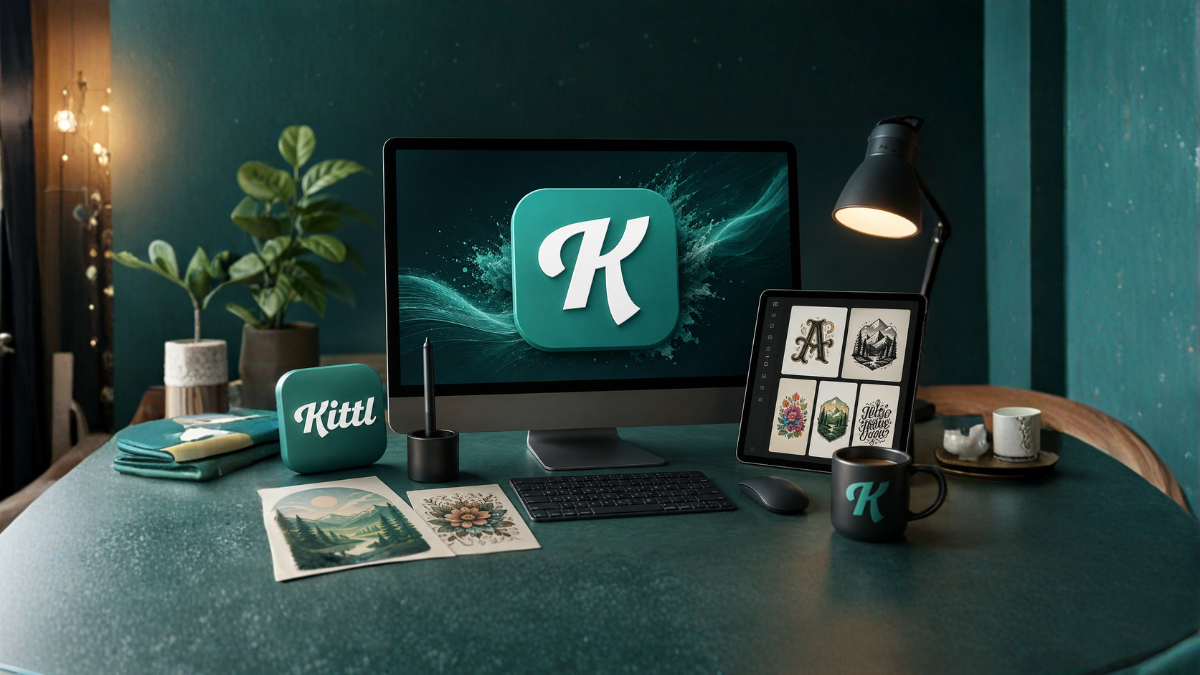
If you are looking for an easy-to-use design platform that combines artificial intelligence, professional editing tools, templates, fonts, vectors, mockups, and image-generation features in one place, Kittl is worth considering.
In 2026, Kittl has developed beyond a simple template-based graphic design platform. It now positions itself as an AI-first design platform for creators, bringing AI generation, vector editing, typography, image editing, mockups, and other creative tools into one browser-based workspace. Kittl says its platform is used by more than 10 million creatives.
But does that make Kittl the best design tool for creators?
In this Kittl AI review, we will examine its features, AI capabilities, templates, fonts, vector tools, mockups, pricing, advantages, disadvantages, commercial use, and who should use it. We will also answer some of the most common questions about Kittl.
What Is Kittl?
Kittl is an online graphic design platform designed for creators, marketers, entrepreneurs, designers, print-on-demand sellers, content creators, and businesses.
Unlike traditional professional design software that can require extensive training, Kittl focuses on providing an accessible browser-based design environment. Its editor includes templates, graphics, fonts, text effects, image editing, vector tools, mockups, and AI-powered features.
One of Kittl’s biggest advantages is that many creative tasks can be completed without switching between multiple applications. For example, you can start with a template, modify the typography, generate an image with AI, remove a background, convert an image to a vector, and place the finished design on a product mockup.
This all-in-one approach is one of the main reasons Kittl stands out in the increasingly crowded AI design market.
Kittl AI Review: Our Overall Impression
Kittl is particularly impressive for creators who want to move quickly from an idea to a finished visual design.
Its AI features are not limited to generating images from text prompts. Kittl integrates AI into a broader design workflow, including image generation, vector generation, vectorization, background removal, image restyling, and creative workflows.
Kittl also supports multiple AI models and positions different models for different creative requirements. Its current AI offering includes models such as ChatGPT Image 1, Google Imagen 4, FLUX, Ideogram, Seedream, and others.
That makes Kittl more interesting than an AI image generator that simply creates an image and leaves you to edit it somewhere else.
However, Kittl is not perfect. Advanced professional designers who need highly specialized workflows may still prefer dedicated software. AI generation also consumes tokens, and serious users need to pay attention to their plan and monthly AI allowance.
Overall, Kittl is one of the strongest choices for creators who value speed, visual assets, typography, merchandise design, branding, and AI-assisted creativity.
Kittl AI Features
1. AI Image Generator
Kittl’s AI image-generation tools allow users to create visual assets from text prompts.
This can be useful when you need an illustration, product graphic, background, concept image, or other visual element but do not want to search through stock libraries.
Kittl emphasizes high-quality image generation and provides access to different AI models for different types of visual work. For example, its current AI page highlights models intended for photorealism, typography and layout, editing, style experimentation, and fast concept creation.
For creators, the biggest benefit is convenience. The generated image can remain part of the same design workflow rather than requiring an external application.
2. AI Vector Generation
Vector graphics are particularly important for logos, stickers, merchandise, icons, illustrations, and print designs.
Kittl provides AI vector-generation and vectorization tools that can help turn ideas or existing graphics into editable vector artwork.
This is a significant feature for print-on-demand creators because vector artwork can be scaled without the same quality limitations associated with ordinary raster images.
3. AI Vectorizer
Kittl also includes an AI vectorizer that can convert suitable raster graphics into vector artwork.
This can save time when working with existing illustrations or graphics that need to be adapted for scalable design projects.
However, as with any automatic vectorization system, the final result may require manual cleanup depending on the complexity of the original image.
4. Background Remover
Removing backgrounds is a common task in graphic design.
Kittl integrates background removal into its creative workflow, allowing users to clean up images without moving to a separate editing application. Its AI feature set also includes tools for removing visual noise and unwanted elements.
For social media graphics, product images, advertisements, merchandise designs, and promotional materials, this can be a major time saver.
5. AI Image Restyle
Another interesting feature is Image Restyle.
Kittl allows creators to use a reference style and generate new assets that maintain a similar visual direction. This can be useful when building a consistent collection of illustrations, campaign graphics, or branded visuals.
For businesses and creators who need multiple graphics that look like they belong to the same visual system, this can be more useful than generating completely unrelated images.
6. Kittl Flows
Kittl Flows is one of the newer AI-focused parts of the platform.
According to Kittl, Flows can generate multiple variations from a design, idea, or template. It can also transform sketches into designs and create matching sets such as icon packs, illustration collections, and mockups.
This is especially useful for creators who need variations rather than just one finished image.
For example, instead of creating one icon manually and then recreating the visual style for every additional icon, a creator can use an AI workflow to develop a consistent set.
Kittl Templates
Templates remain one of Kittl’s strongest features.
The platform provides professionally designed templates covering many common design categories. Users can browse by topic, category, or style and load a design directly into the editor.
Templates can be useful for:
- Social media posts
- Posters
- Logos
- Merchandise
- T-shirts
- Book covers
- Album covers
- Business materials
- Advertisements
- Product promotions
- Marketing graphics
The main advantage is speed.
Instead of starting with a blank canvas, you can begin with a professionally structured design and customize it according to your requirements.
Kittl says its paid plans provide access to more than 10,000 premium templates and mockups.
Kittl Fonts and Typography
Typography is one area where Kittl has a particularly strong identity.
Kittl currently advertises more than 1,400 fonts, including premium fonts through its Monotype partnership. Its editor also supports OpenType features such as glyphs and ligatures.
The platform also offers advanced text effects.
You can transform ordinary text using effects such as warping, shadows, 3D effects, arches, and other transformations.
This makes Kittl particularly appealing for:
- T-shirt designers
- Logo creators
- Poster designers
- Typography enthusiasts
- Print-on-demand sellers
- Brand designers
For designs where typography is a major visual element, Kittl can be considerably more convenient than a basic template editor.
Kittl Vector Editor
Kittl is not only an AI platform.
It also provides vector editing capabilities through its Vector Suite.
The vector editor includes tools such as the Pen tool, Shape Builder, path editing, and Boolean operations including union, subtract, intersect, and exclude.
This means users can create and modify vector artwork directly inside Kittl instead of exporting it to separate software for every adjustment.
For creators who need moderate vector editing but do not want a highly complicated professional interface, this can be a useful middle ground.
Kittl Mockups
Mockups are another major strength.
Kittl provides customizable mockups for products and promotional designs, including T-shirts, mugs, posters, books, stickers, packaging, websites, phones, and other formats.
For example, a print-on-demand seller can create a T-shirt design and then place it on a realistic mockup to see how it might look on the final product.
This is useful for both presentation and marketing.
Instead of designing in one application and finding mockups elsewhere, Kittl allows the process to happen within the same ecosystem.
Kittl Content Library
Kittl also offers a large content library containing vectors, illustrations, textures, photos, and other assets.
Its current content-library page states that the platform offers more than 500,000 assets and integrates sources such as Unsplash and Flaticon.
The platform also emphasizes editable assets, meaning creators can customize graphics instead of simply placing fixed stock images into a design.
This can make the creative process considerably faster.
Kittl Pricing in 2026
Kittl offers a free plan as well as paid plans.
The free plan can be used to explore the platform, create designs, and experiment with available tools. However, advanced features such as broader commercial licensing, vector downloads, premium assets, and additional AI capabilities are associated with paid plans.
One important point is that Kittl’s AI tools use tokens.
AI actions consume tokens, and the number of tokens available depends on the subscription plan. Kittl states that unused tokens currently do not roll over and that the balance resets with the next billing cycle.
For example, Kittl’s current Pro documentation lists 2,000 monthly AI tokens, while the Max plan lists a substantially higher AI allowance.
Because pricing and plan structures can change, users should check Kittl’s current pricing page before subscribing.
Check Kittl’s current pricing plans
Is Kittl Good for Commercial Use?
Yes, but the specific license depends on the plan.
Kittl states that paid plans provide commercial licensing, while the free plan has different requirements and may require attribution.
The Pro plan documentation currently states that designs can be used commercially for up to 500,000 copies across print, packaging, digital, and related uses. The Max plan provides an Enhanced License with no copy limits.
This makes Kittl especially interesting for businesses, freelancers, print-on-demand sellers, and creators who sell designs.
Still, commercial licensing is an important area to check carefully before using Kittl assets for a large commercial project.
Pros of Kittl
Kittl has several important advantages.
All-in-one workflow: AI tools, templates, vectors, fonts, images, text effects, and mockups are available within one platform.
Easy to learn: The editor uses a relatively accessible interface compared with highly complex professional design software.
Excellent typography: Kittl has a strong selection of fonts and text effects.
Strong merchandise tools: T-shirt, sticker, poster, packaging, and other mockup workflows make it attractive for print-on-demand creators.
AI integration: AI generation is integrated into the design workflow instead of being treated as a completely separate service.
Professional vector tools: Users can perform meaningful vector editing directly inside the browser.
Large asset library: Kittl combines templates, illustrations, graphics, photos, textures, and other resources in one ecosystem.
Cons of Kittl
Kittl also has limitations.
AI tokens: Heavy AI users need to monitor their token allowance because AI actions consume tokens.
Advanced professional workflows: Designers who require extremely specialized professional features may still prefer dedicated applications.
Internet dependency: Because Kittl is a browser-based platform, your workflow depends on having reliable internet access.
Paid features: Some of the most useful commercial and professional capabilities are restricted to paid plans.
AI output still needs checking: AI-generated graphics can require editing and refinement, especially for precise branding or production-ready work.
Kittl vs Traditional Design Software
Kittl is not necessarily designed to completely replace every professional design application.
Instead, its strongest advantage is the combination of different creative functions.
Traditional professional software may provide deeper control for highly specialized projects, while Kittl focuses on speed and accessibility.
For example, a creator working on a T-shirt business may prefer Kittl because they can find a template, modify typography, generate graphics, edit vectors, and create a product mockup in one place.
A professional illustrator working on highly complex artwork may still require specialized software.
Therefore, the question is not simply whether Kittl is better than traditional design software. The better question is whether Kittl’s workflow matches your needs.
Who Should Use Kittl?
Kittl is particularly suitable for:
- Content creators
- Social media managers
- Small businesses
- Entrepreneurs
- Print-on-demand sellers
- T-shirt designers
- Freelance designers
- Marketing teams
- Bloggers
- YouTubers
- Brand creators
- Beginners learning graphic design
It is especially valuable for people who need to create many visual assets quickly.
Who Should Not Choose Kittl?
Kittl may not be the ideal choice if your work requires highly specialized professional workflows, extremely advanced illustration capabilities, or features that are only available in dedicated professional applications.
It is also worth considering your AI usage. If you generate large numbers of AI assets every day, you should compare the token allowances and total cost of Kittl’s plans with other AI tools.
Is Kittl the Best Design Tool for Creators in 2026?
There is no single design tool that is best for everyone.
However, Kittl is certainly one of the strongest all-in-one options for creators in 2026.
Its biggest advantage is not simply its AI image generator. The real strength is the combination of AI, templates, typography, vector editing, asset libraries, image editing, and mockups.
Kittl’s newer AI workflows also make the platform more useful for generating variations and consistent visual sets rather than producing isolated images.
If your goal is to create social media graphics, merchandise, promotional designs, branding materials, posters, product visuals, or other creative assets quickly, Kittl deserves serious consideration.
Our verdict: Kittl is an excellent all-in-one design platform for creators who prioritize speed, AI-assisted creativity, typography, templates, and commercial design workflows.
It may not replace every specialized professional design application, but for many creators, its combination of features can significantly reduce the need to switch between multiple tools.
Frequently Asked Questions About Kittl AI
1. Is Kittl AI free?
Kittl offers a free plan that allows users to explore the platform and create designs. However, advanced features, commercial licensing, premium assets, vector exports, and additional AI capabilities are available through paid plans.
2. Is Kittl good for beginners?
Yes. Kittl is designed with an accessible editor and templates that can help beginners create professional-looking designs without starting everything from scratch.
3. Can I use Kittl for commercial purposes?
Yes. Kittl supports commercial use, but the exact rights depend on your subscription and license. Paid plans provide broader commercial licensing than the free plan.
4. Does Kittl have an AI image generator?
Yes. Kittl includes AI image-generation tools and provides access to multiple AI models for different creative requirements.
5. Does Kittl generate vector images?
Yes. Kittl provides AI vector-generation and vectorization tools, along with a dedicated vector editor for further customization.
6. Can Kittl create T-shirt designs?
Yes. T-shirt design is one of the areas where Kittl is particularly useful. Users can create designs, edit typography and graphics, and preview artwork using product mockups.
7. Does Kittl have mockups?
Yes. Kittl provides mockups for products such as T-shirts, mugs, stickers, posters, books, packaging, phones, websites, and more.
8. How many fonts does Kittl have?
Kittl currently advertises more than 1,400 fonts, including premium typefaces and fonts available through its Monotype partnership.
9. Does Kittl use AI tokens?
Yes. Kittl’s AI features use tokens. Each AI action consumes a certain amount, and the included monthly allowance depends on the subscription plan. Unused tokens currently do not roll over.
10. Can I upload my own fonts to Kittl?
Yes. Paid plans such as Pro include custom font uploads, allowing creators to bring their own fonts into their designs.
11. Is Kittl better than other design tools?
It depends on your requirements. Kittl is particularly strong when you want AI tools, templates, typography, vectors, graphics, and mockups together in one workflow. Highly specialized designers may still prefer dedicated professional software.
12. Is Kittl worth paying for in 2026?
For creators who regularly make commercial designs, merchandise, social media graphics, branding materials, or marketing visuals, a paid Kittl plan can be worthwhile because it provides broader access to premium assets, commercial licensing, higher-quality exports, and additional AI capabilities.
Final Verdict
Kittl has evolved into much more than a template-based graphic design website. Its combination of AI generation, vector editing, typography, templates, content assets, image editing, and mockups makes it a powerful creative platform.
For beginners, it offers a relatively easy way to create professional-looking designs. For experienced creators, its AI and integrated workflow can reduce repetitive work and speed up production.
The biggest question is whether you need an all-in-one creative platform. If you do, Kittl is one of the most compelling design tools to consider in 2026.
